Skip to content
Skip to content
Skip to content 
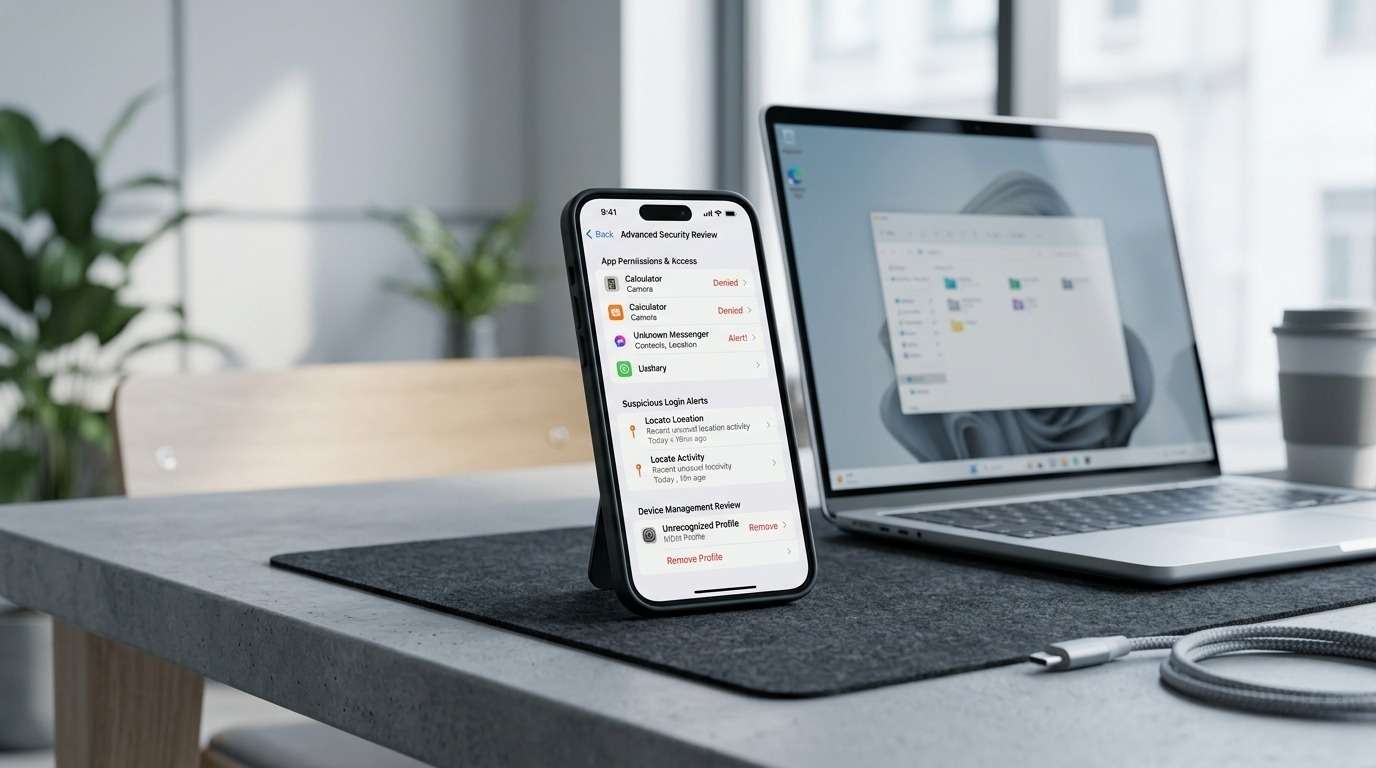
In most cases, yes — you can remove a hacker from your phone without specialist help. The process involves cutting any active connection, auditing what is installed, securing your accounts from a separate device, and then closing the gaps that allowed the intrusion in the first place.
This guide covers both iPhone and Android. It is written for users in the US, UK, Canada, Australia, New Zealand, and Ireland who have noticed something unusual and want clear, practical next steps — not alarm.
What to Do Right Now
If you think your phone may have been compromised, start here before anything else:
- Enable airplane mode to cut any active data connection immediately
- Do not log into banking, email, or social accounts on the device until you have assessed it
- Switch to a separate, trusted device — a different phone or computer — for password changes
- Scan your installed apps and remove anything you do not recognise or remember installing
- Check account login history for your email, Google account, or Apple ID from that separate device
These five steps limit the damage while you work through the full process below.
Signs Your Phone May Have Been Compromised
None of these signs confirm a breach on their own. Phones misbehave for all sorts of mundane reasons — ageing batteries, background system processes, poorly coded apps. What matters is whether several of these appear together, particularly after something changed: a new download, a link you clicked, a relationship breakdown, or someone else briefly having access to your device.
Battery draining faster than usual. A phone that is transmitting data in the background — through spyware or a remote access tool — can drain faster than normal with no change in your usage habits.
Unexplained overheating. Warmth during heavy use is normal. Warmth when the screen is off and you have not used it recently is less so.
Apps you did not install. Check your full app list carefully. Generic names like “System Service” or “Phone Monitor” are common cover names for surveillance tools. Anything you cannot account for is worth investigating.
Login alerts and security emails you did not trigger. Password reset requests, new device logins, or verification codes arriving without you doing anything are a significant signal — not proof, but worth acting on.
Settings changes you did not make. Accessibility services, developer options, or administrator permissions being switched on without your knowledge can indicate that software has been configured to resist removal.
Data usage spike. A sudden, unexplained increase in mobile data or Wi-Fi consumption can suggest something is uploading information from your device.
Camera or microphone indicator lights activating unexpectedly. iOS 14 and later shows a green dot for camera use and an orange dot for microphone access. Android 12 and later introduced similar indicators. Seeing these when no app you can identify should be running is worth following up.
When It May Be a Bug, Not a Breach
Battery drain and overheating are among the most common symptoms people associate with hacking — but they are also the most common symptoms of a routine software issue. A stuck background process, a recently updated app with a memory leak, or an old battery struggling in cold weather can explain most of these individually.
Before assuming your phone is hacked, check whether a recent app update coincides with the issue, whether symptoms appear on Wi-Fi and mobile data equally, and whether restarting the device makes any difference. If symptoms resolve after a restart or an app uninstall and do not return, a software glitch is more likely than a sustained compromise.
What to Do First — Damage Control Before Anything Else
Airplane mode first. Before scanning, deleting, or changing anything on the device itself, enable airplane mode. This cuts Wi-Fi, Bluetooth, and mobile data simultaneously. It does not fix anything, but if there is active data transmission happening, this stops it.
Stop using the device for sensitive logins. If a keylogger or session-hijacking tool is running, every login you make from the compromised device potentially hands over another set of credentials. Hold off on banking, email, and social media until the device is cleared.
Use a different trusted device for account changes. A separate phone or computer — ideally one you have not logged into recently from the suspected device — is where you should handle password resets and account security reviews. If you only have one device, consider whether a family member’s phone or a public library computer is a safer option for the most sensitive accounts.
Start with email. Your email account is effectively a master key. If an attacker can access it, they can trigger password resets on everything else. Securing email first, including enabling two-factor authentication, takes priority over every other account.
How to Remove a Hacker from Your Phone — Step by Step
Work through these steps in order. Skipping ahead tends to create gaps.
Step 1: Review and remove unfamiliar apps
On iPhone: Settings → General → iPhone Storage. On Android: Settings → Apps (or Application Manager, depending on the manufacturer).
Go through every app. Flag anything you do not remember installing, anything with a vague or generic name, and anything that seems to request far more permissions than its apparent function requires. Uninstall what you cannot account for.
On Android, also check Settings → Apps → menu → Show system apps. Some tools embed themselves at the system level and will not appear in the standard app list. If you find something you cannot delete through the normal uninstall process, note it — a factory reset may be the only reliable fix.
Step 2: Check device administrator and configuration profile access
On Android: Settings → Security → Device Administrators. On iPhone: Settings → General → VPN & Device Management.
No app you did not intentionally configure should hold device admin rights. On iPhone, look for configuration profiles — particularly any from an employer you no longer work with, or anything you have no memory of installing. Some stalkerware grants itself administrator privileges specifically to block removal. Revoking that access is usually necessary before the app can be deleted.
Step 3: Audit app permissions
Go through camera, microphone, location, and contacts permissions and remove access from anything that has no obvious reason for it.
iPhone: Settings → Privacy & Security → each permission category. Android: Settings → Privacy → Permission Manager.
Particular attention to background microphone or camera access — these are low on most people’s permission review lists and high on the list of what surveillance tools exploit.
Step 4: Update the operating system and remaining apps
Many successful intrusions exploit known vulnerabilities in unpatched software. Once you have cleared suspicious apps, update iOS or Android to the current version and update all remaining apps. This does not undo damage already done, but it closes the entry points most commonly used for re-infection.
Step 5: Run a security scan where practical
On Android, Google Play Protect (Settings → Security → Google Play Protect) provides a basic scan of installed apps against known threats. For something more thorough, Malwarebytes for Mobile has been reasonably consistent in independent testing and is free for basic use.
On iPhone, Apple’s sandbox model limits what any third-party scanner can actually check — which is why the manual steps above matter more than running an app. Profiles, permissions, and administrator rights are where iPhone intrusions typically embed.
Step 6: Review linked accounts from a separate device
Signed into your main accounts from the suspected phone? Review them externally:
- Google Account: myaccount.google.com → Security → Your devices and Recent activity
- Apple ID: appleid.apple.com → Devices and Sign-in and Security
- Email: Gmail, Outlook, and Yahoo all display recent login locations in security settings
- Bank accounts: most banking apps and web interfaces show active sessions or recent device access under security or account settings
- Social media: Facebook, Instagram, and others allow you to view and terminate active sessions under privacy or security settings
Remove any session or device you do not recognise. Do not just change the password — end the active sessions too.
Step 7: Change passwords from the safe device
Email first, then banking, then anything with payment information attached. Use a password manager to generate long, unique passwords for each account. The goal is that no two accounts share the same credentials.
Step 8: Strengthen two-factor authentication
Switch away from SMS-based 2FA where your accounts allow it. SMS codes can be intercepted through SIM swap attacks — a separate risk that persists regardless of what you do to the handset. Authenticator apps like Google Authenticator or Authy generate codes locally and are not vulnerable to SIM interception.
Step 9: Factory reset — when it is and is not the right move
A factory reset wipes the device entirely, including any spyware that has survived app deletion. It is the most reliable option when other steps have not resolved the problem.
Consider it if:
- You found a device admin or system-level app you cannot delete
- Symptoms continue after completing all the steps above
- You have reason to believe sophisticated commercial spyware was installed — for instance, in a situation involving a controlling partner, an ongoing legal dispute, or someone who had extended unsupervised access to your device
- A security professional has assessed the device and recommended it
When you reset, back up photos and contacts only. Do not restore from a full device backup — it can re-introduce whatever was on the device before.
What Most People Miss After Removing a Hacker
Clearing the device is one part of the process. The accounts it was connected to are often overlooked.
Email forwarding rules. If your email was accessible while the phone was compromised, an attacker may have set up automatic forwarding to an external address. This continues silently even after you change your password. Check your email settings for forwarding rules and unfamiliar recovery addresses.
Synced passwords and captured sessions. If a password manager or browser was syncing credentials during the compromise, those passwords may have been captured before you changed them. Treat all previously synced passwords as exposed.
Your phone number as a separate vulnerability. Removing software from your handset does not protect your phone number. SIM swap attacks and number porting fraud operate at the carrier level, independent of what is installed on your device. For more on this, the phone number hacker page covers the specific risks in detail.
Cloud accounts that remain open. iCloud, Google, and other backup accounts may have active attacker sessions that persist after you clean the phone. Reviewing and terminating those sessions — as covered in Step 6 above — is a separate and necessary action.
Recovery options inside your accounts. Check the backup email address and secondary phone number listed on each of your major accounts. An attacker with temporary access can modify recovery details, which allows them to reclaim the account even after you change the password. Review these for every account — not just the obvious ones.
Can a Hacker Still Control Your Phone After You Delete the App?
Sometimes. It depends on what was installed and how it was embedded.
For most off-the-shelf spyware and stalkerware, deleting the app and revoking its permissions is sufficient. The tool loses its access pathway and stops functioning.
The exceptions tend to be commercial-grade surveillance software — tools originally built for enterprise device management or, in some cases, marketed to parents or employers. These can embed as system-level processes, install configuration profiles that survive app deletion, or in rare cases exploit lower-level vulnerabilities that persist unless the device is fully wiped.
The practical test: if you have removed every unfamiliar app, revoked administrator permissions, updated the OS, and the phone is still overheating, still showing abnormal data usage, or you are still receiving 2FA codes you did not request — deletion alone was not enough. At that point, a factory reset is the more reliable path.
For more on what remote access tools can do and how they operate, the remote phone access page goes into more detail.
How to Block a Hacker from Your Phone Going Forward
Stick to official app stores. The App Store and Google Play are imperfect, but they filter out most overtly malicious software. Apps sideloaded from outside these stores carry meaningfully higher risk.
Keep the OS and apps updated. Most successful attacks exploit known vulnerabilities in unpatched software. Automatic updates reduce the window of exposure.
Audit permissions every few months. Camera, microphone, and location access accumulate over time. An app you granted permission to two years ago may no longer need it. A quarterly check takes about five minutes and removes unnecessary access.
Be careful with links in messages. Phishing via SMS, WhatsApp, and social media DMs is one of the more common ways phones get compromised. If a link is unexpected or the sender seems slightly off, verify it independently before tapping.
Protect your phone number at the carrier level. Ask your mobile carrier to add a PIN or passphrase requirement before any SIM changes or number porting requests are processed. This is a simple step that significantly reduces SIM swap risk.
Use public Wi-Fi cautiously. Avoid banking and email on public networks. If you need to connect, a VPN reduces exposure — though it is not a complete solution.
Turn on account alerts. New sign-in notifications, password change alerts, and new device alerts on your email, bank, and social accounts give you early warning. Early detection typically means less damage.
When to Consider Getting Outside Help
The steps above resolve most situations. But there are cases where self-remediation is not straightforward.
If symptoms return after a factory reset, the problem is likely in a linked account or at the SIM level rather than the device itself — and tracking down where is not always simple.
If you have reason to believe dedicated spyware was installed — particularly in situations involving a controlling partner, a custody dispute, or someone who had regular physical access to your device — the question is not just whether to clean the phone but what evidence exists and whether the situation has legal implications.
If multiple accounts were compromised in sequence — email, then banking, then social media — the scope of the breach can be hard to assess without a systematic review of what was accessed and when.
In those situations, a professional assessment may be more practical than continuing to work through it alone. The phone hacking service page covers what a specialist assessment involves. If ongoing monitoring is the concern specifically, the spy and surveillance page covers that type of case separately.
This guide is for general informational purposes. Laws around phone monitoring, account access, and digital evidence vary significantly by country and jurisdiction. If your situation involves potential criminal activity or legal proceedings, consult a qualified legal professional.
Last reviewed: March 2026 | hackers-4hire.com Editorial Team
FAQs
Can you remove a hacker from your phone?
In most cases, yes. Removing suspicious apps, revoking device administrator access, updating the operating system, and securing your accounts from a separate device resolves the majority of phone compromise situations. If those steps do not clear the problem — or if you suspect commercial-grade spyware was installed — a factory reset is usually the next appropriate step.
How do I know if someone has remote access to my phone?
There is no single definitive test. The clearest signals are unexpected login alerts on linked accounts, unfamiliar apps appearing without explanation, settings changes you did not make, and device behaviour — overheating, data spikes, battery drain — that emerged suddenly without a clear cause. Multiple signs together, especially after something changed (a new contact, a link you clicked, someone else having access to the device), are worth taking seriously.
What can a hacker do with my phone number?
A phone number is more useful to an attacker than most people expect. It can be used to conduct a SIM swap — where the number is transferred to a different SIM card, intercepting your calls and SMS verification codes. It can also be used to impersonate you with customer service teams to trigger account access. For a more detailed breakdown, the phone number hacker article covers the specific risks.
Should I factory reset my phone if I think I have been hacked?
Not as a first step. A factory reset is the right call when the steps above — app removal, permission review, OS update, account security — do not resolve the problem, or when you have good reason to believe deeply embedded software was installed. If you do reset, back up photos and contacts only. Restoring from a full backup can bring back whatever caused the problem.
Can an iPhone or Android still be hacked after an OS update?
Yes, though updates make it harder. Keeping your OS current patches the known vulnerabilities that most attacks exploit, which is why updates matter. That said, zero-day exploits — vulnerabilities that are not yet publicly known — exist for both platforms and are occasionally used in targeted attacks. Updates meaningfully reduce risk; they do not eliminate it.